Tuesday, November 19, 2013

KUPLA - get to know what you see

Team members: Chrystal Giam, Yee Feng, Alba Tudó Domingo, Aivis Gailītis, Rachel Hagreen, Emilia Kwiatkowska, Clara Calvet Oliver, Ineke Brinksma, Anna Garriga i Valverde


KUPLA aims to create a system that allows you to access information about everything you see by using simple gestures and innovative projection technology with wearable devices which has sensors. It will be the perfect product for a busy individual who wants to increase knowledge and productivity whilst continuing with their busy day-to-day life.


The content (data/information) is retrieved from the Internet via open data (Wikipedia style) and you can also bookmark info that you wish to review later into the system.

We designed this product because we wanted to make knowledge more accessible at anywhere and anytime. KUPLA is meant to make life easier and more complete with all the information you can get around you. Its simple design interface makes learning easier and more efficient as well.
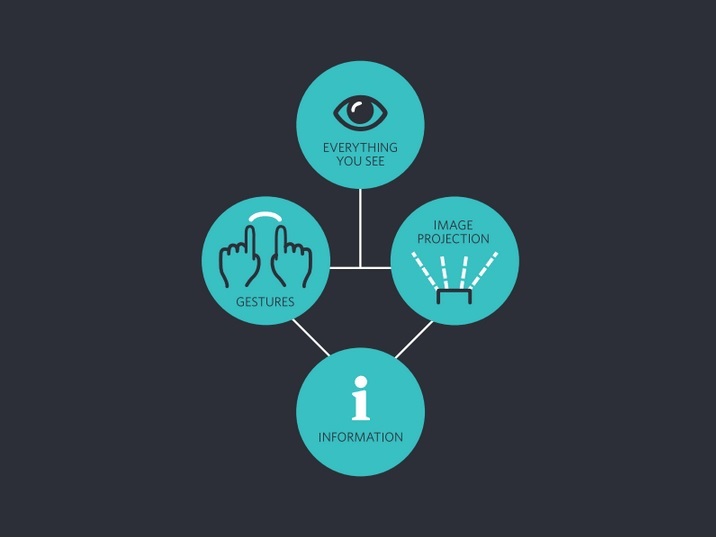

 Here are just some among many functions that we envision KUPLA to have:

  • Real time translation. The ability to translate any language in any situation.
  • Site Navigation / GPS: Maps and directions projected as you get to your desired location quickly and efficiently.
  • Education e.g. learning history of the buildings in more efficient way by visualization and interesting storytelling.
  • Object information e.g. description, ingredients/materials, price, place to get it
  • Human e.g. type of outfit, physical attributes, etc.
  • Entertainment e.g. watching films/ TV, information of the actors, setting location, etc.
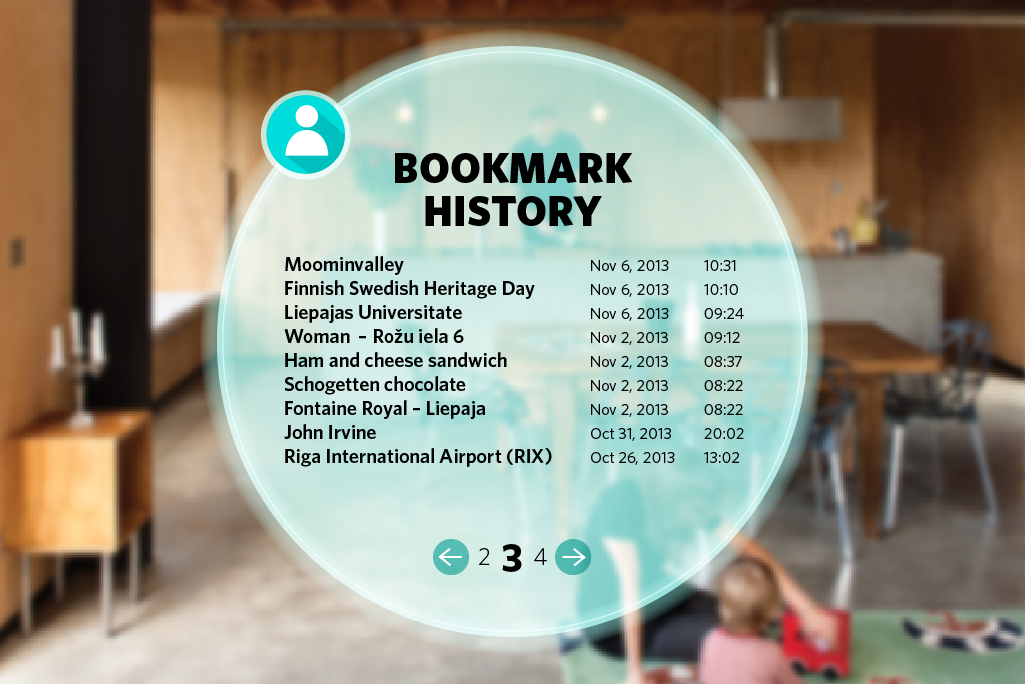
  • Bookmarking. Possibility to continue expanding the knowledge at a later time.


During MC2020 students were learning not only from the teachers but also from each other. While working on our concept we could count on help from all teachers which were giving us tips. It was really helpful especially during the time when we had to divide work between each other. The thing is that “never is too late” to implement better solutions.    
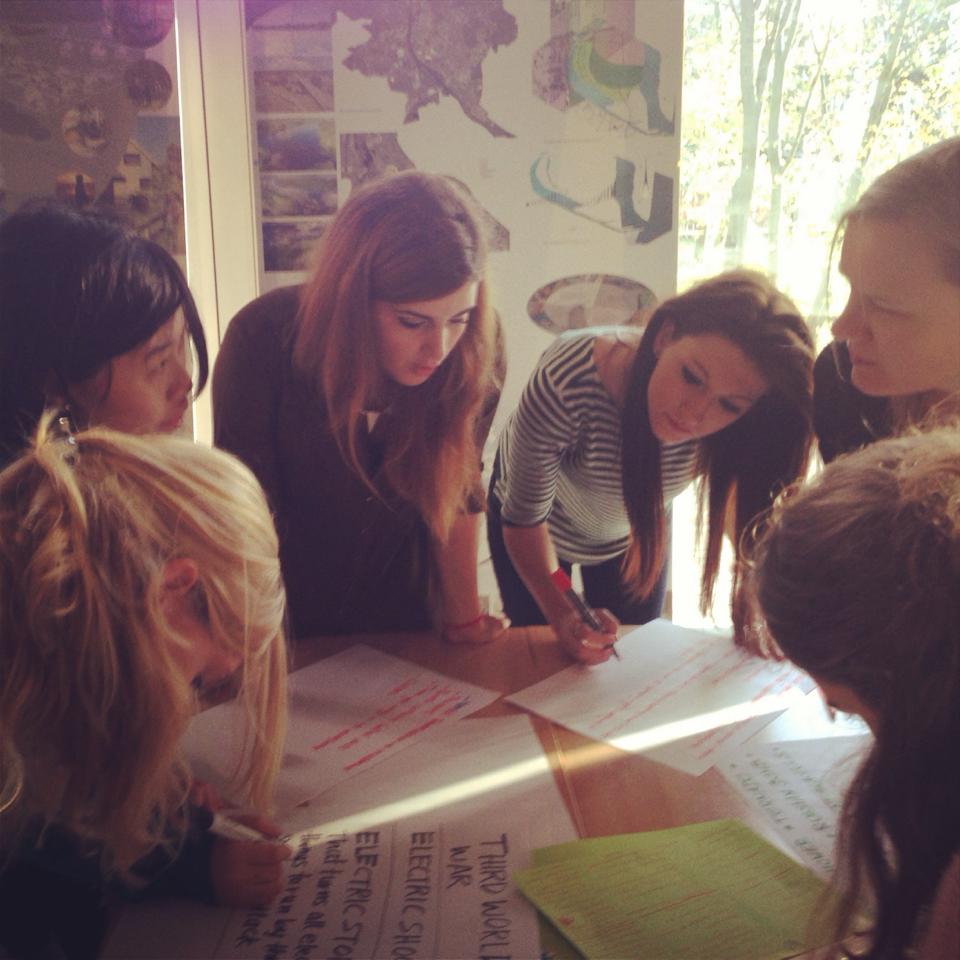

Networking is about making connections and building enduring, mutually beneficial relationships. To succeed you must continually connect with new people, cultivate emerging relationships and leverage your network. To MC2020 we met a lot of people from different countries and cultures. We got to know our skills and work attitude what can bring profit in the future or really good friendships. One day all of us will be working in different places but we will still remember about each other.
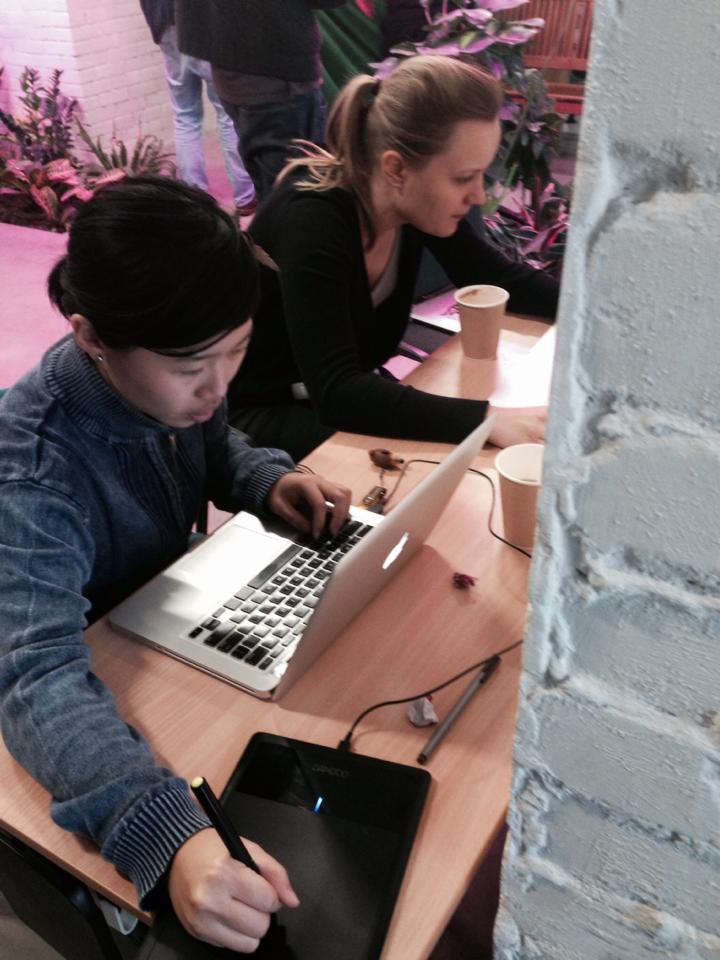


FEEDBACK
Our team have improved the concept from the first edition into a wider area because it was a limited idea in the beginning and there are already products developed (LinkedTV, Second Screen). During brainstorming sessions we went through a lot of stages. While thinking about getting content vs. creating content to get information we mainly focused at education learning tool projected into a room. After having a lot of discussions we finally focused on “get to know what you see” slogan used in our project and since then we wanted to create a product which will be always next to you when you need it. In the way this concept is extension of Google glasses or simpler Google search engine but we wanted to try to remove the aspect of using devices like smartphone. We did not focus on specific thing/aspect/area because we wanted to get information about everything as much as possible. Movements which are used to “open” KUPLA are short and they do not have to be repeat many times. We think that it wouldn’t be a problem in the future if this became a trend or norm. Nowadays most of the people are tapping and swiping on smartphones and other devices.

Our team members had a little bit knowledge here and there (in general) in different skills, so it was a little difficult to set roles for everyone in the team. But through our two-week experience of working together, we learnt that task list and workflow timeline are essential to keep us on our feet. We pulled it together as a team and delivered a memorable presentation.
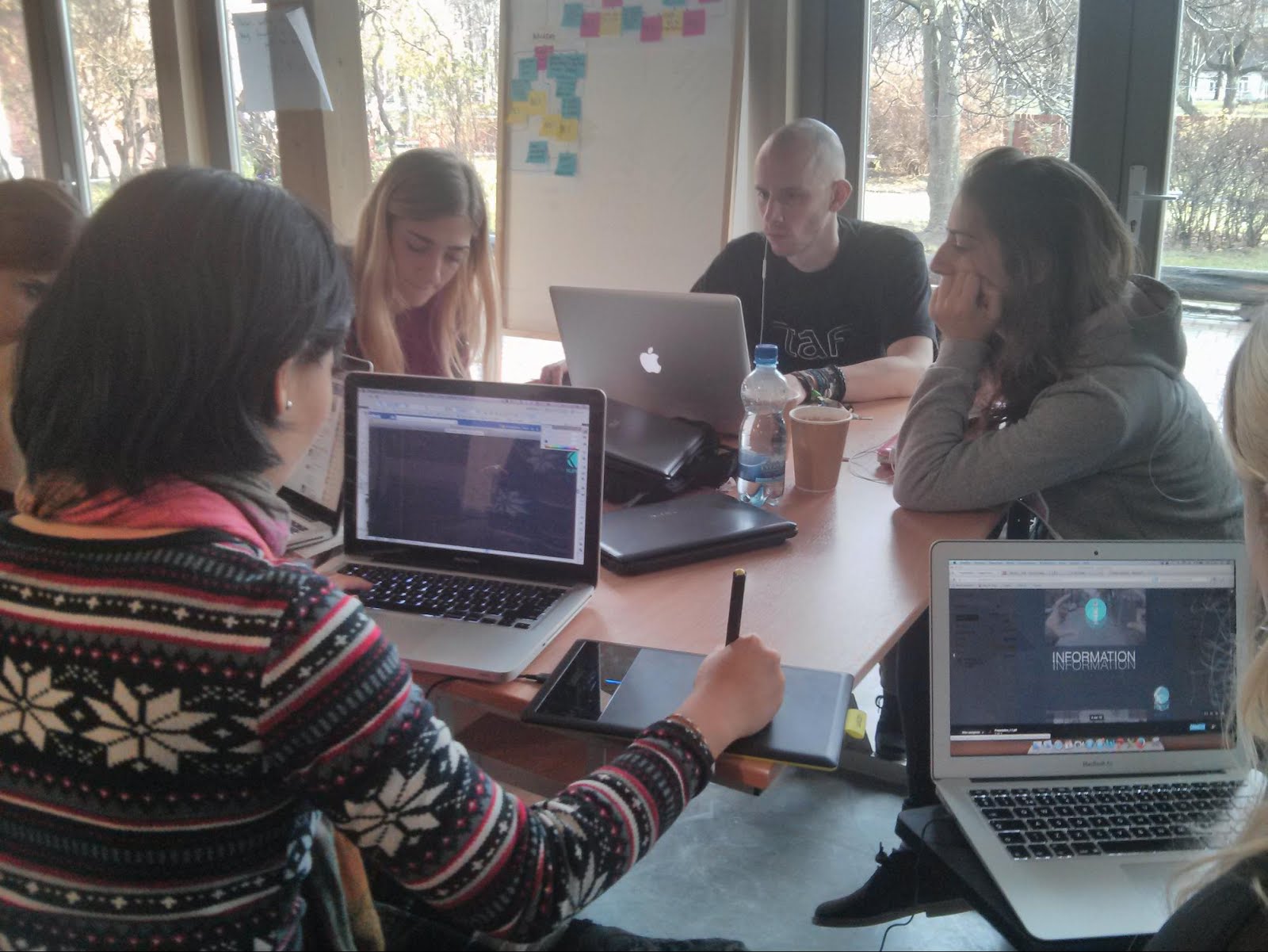
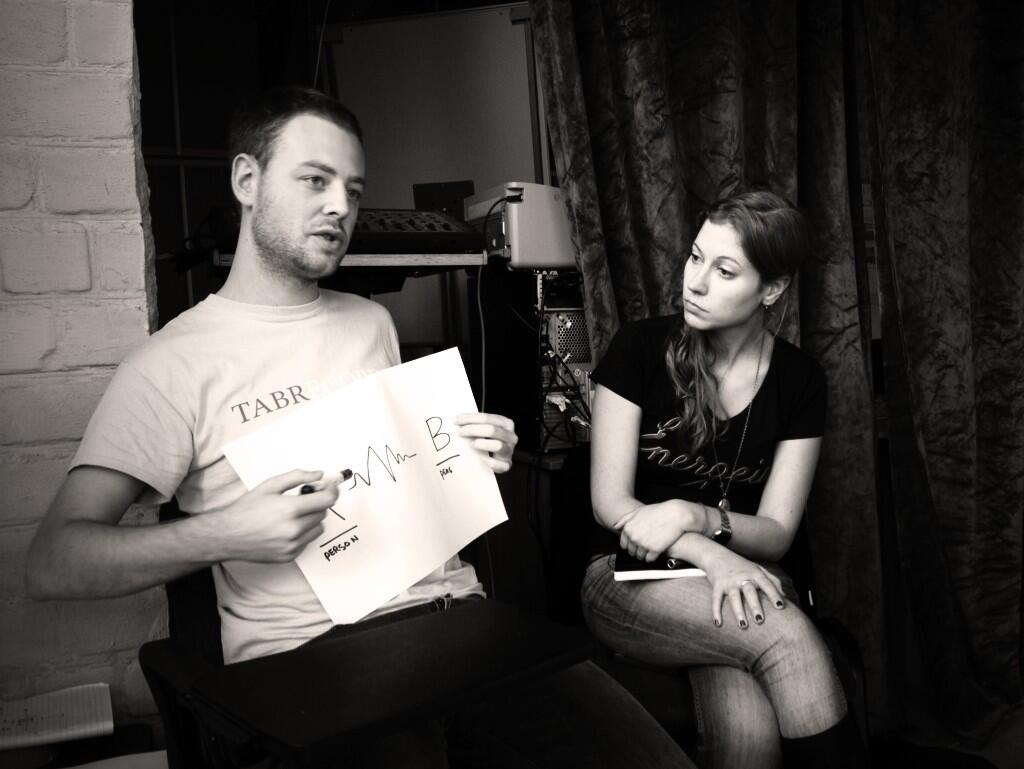
photo by Rosa Pons

The feedback statement to the team presented by René Lansink in the feedback discussion, last day plenary.

The KUPLA project focused on using gestures to interact with a virtual visual interface. The idea is to connect or link ‘virtual’ information onto ‘physical’ objects. In a movie several user scenarios were visualized. For instance, extra information over food, location specific events, navigational data etc. could be retrieved by using specific gestures. It was also possible for users to ad information to ‘real world’ objects using a kind of Wiki-like application.
The project group did not want to focus too much on the technological details of the ‘system’, but elaborate more on the possible use and interaction with this  so called ‘location based augmented reality system’. ‘Get to know what you see’, a simple design interface and the use of real time information where the key ingredients of this project.
The use of gestorial information for interaction is of course a promising area of technological development. Especially in a context in which other means of interaction are impossible (danger, handicap, language or cultural  barriers). As a next step such a specific, carefully chosen context, could be worked out in greater scale.

Feedback from other teachers

The video was very good and clear, resulting into a very strong point of the presentation to understand how to interact with the virtual world.
The presentation had another strong point: it was sympathetic.
The examples could have been thought more far away, to challenge a more fictional experience, it was more of an interface, to focus in one situation would have been better. 
It's a big group of eight members: it was difficult for them to organize the roles because of the similar skills they have. When they finally settled down the roles they were much more efficient and comfortable. They lacked of a coordinator, but the suggestions of teachers were helpful to reshape the group dynamics.

Monday, November 18, 2013

Our Experience Explained: Group 2A

Media Culture 2020 - Liepāja, Latvia

Group 2A
Andrew West
Heather Barral
Rachel Robinson
Samuel van Dijk
Pau Cristòful

Media Culture 2020 brought young creatives together to collaborate and think about media in new ways. The intensive two week program encouraged groups of students to develop concepts, produce designs and finally present this progress. The daily lecture programme encouraged us to think of possibilities and potential for media in the year 2020.

Before arriving in Latvia, students communicated via GoogleDrive and Facebook to analyze MC2020 projects developed in Finland in March 2013. Group 2 analyzed ‘My Guide’, a holographic travel guide to inform the user of a new culture.

After a long journey to Latvia we were welcomed, and wined and dined with our new comrades. The following morning we had the first group plenary sessions, discussing our analysis of ‘My Guide’.


Group 2, Connecting Cultures & My Guide

Our workspace during the week was located at the Art and Design College in Liepaja. A usual working day began at 9.30 and we worked until dinner at around 5.30. The programme of workshops informed and inspired much of our project direction. Lecture content forced us to consider alternatives and group plenaries gave us the necessary feedback to amend our concept, practically.

We wanted create something during MC2020 that would aid communication, using technology as a means but connecting people in a physical way. Group 2 began with 10 students, although managing effective discussion and progress with a group of this size was difficult. Everyone agreed feelings are not a language as such, but can express the essence of human emotion in a way that everyone can understand.

Group 2, Brainstorming

After 3 days of collaboration on ‘Connecting Cultures’ we decided to split the group in half to work more efficiently into 2A and 2B. 2A included Andy, Heather and Rachel from the University of Lincoln, Samuel from Tampere University of Applied Sciences and Pau from the University of Vic.

Lectures and plenaries were useful as a means of receiving feedback from students and tutors, which informed many of our practical and ethical considerations. By the second week, we had decided on brand and installation designs for EQ. iWeek talks & shows began on 3rd November, and MC2020 students presented workshop results on 7th.

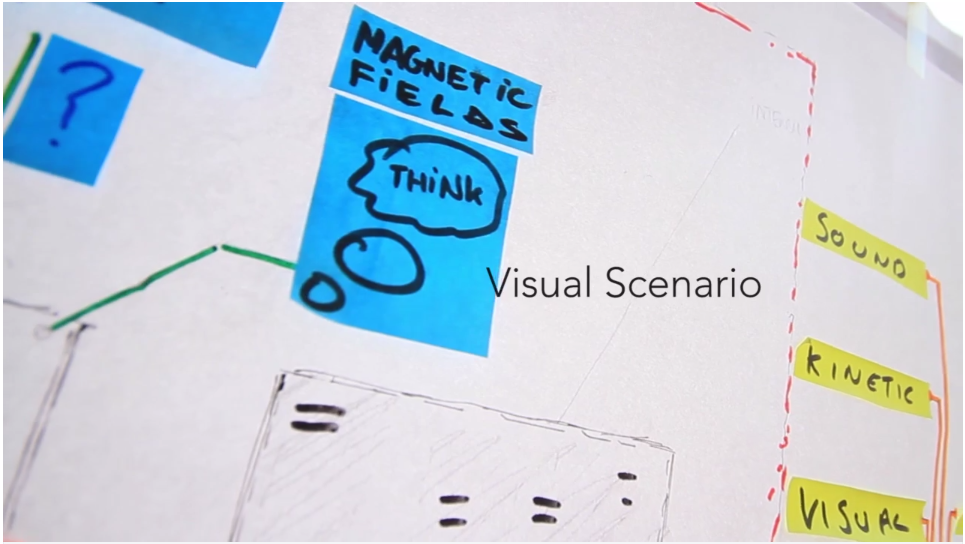
[video] Visual Scenario


The process of developing our concept and designing has been exciting and we would like to make our installation in real life! On the whole, MC2020 has taught us new ways to invent, expand our knowledge and networks and increased our global connections. Liepaja has shown a little unforgiving Latvian weather, but a beautiful city and way of life.

We will remain in contact and miss the experience!


FEEDBACK:

The feedback statement to the team presented by René Lansink in the feedback discussion, last day plenary:

Project 1: EQ

The EQ project is focused on mediating emotions between two people using biological data (heartbeat, body temperature, breath rate etc). In a ‘pod’ like installation the users are connected to ‘the system’ which monitors the bio-data and converts it into a visual projection, sound, wind, temperature etc. within the ‘Pod’. The objective of the users is to ‘tune’ into each others emotions and thereby influencing the ‘environment’ in the ‘podlike’ installation. The user experience was visualized using a by a flowchart, a visual scenario and a short movie.

The project group had elaborated profoundly on the concept of using emotion as a universal language. As such it was kind of a research project into this subject with the installation as a preliminary end result. Other user contexts where also suggested in the fields of conflict resolution, medical use or more intimate uses within relationships. Also a portable device and ‘emo-transmission’ over a long distance where suggested.

As a next step, one of these ‘user scenarios’ could be worked out on a deeper level, with a focus on how a particular emotion (anger, fear, joy, lust) is exactly detectable and translated into a sensorial experience.


Summary of comments by other lecturers

The group changed the concept developed on the first edition.
They had almost a philosophical approach to the concept. It was a kind of a research project.
If they had more time, they would have been able to developed new ways of using the technology.
Maybe some more examples were needed; it seemed there was more work done, but the presentation didn't succeed in showing it, although it was a good presentation. 
The art installation is interesting as an example, but the rest of examples were not useful, maybe they needed more description.
The group dynamics was the best part, breaking the big group of ten in two groups of five, was the best decision made.

Demo 4: Happ - Human hardware, wearable software

Team: Ben Gray, Tuomas Mikola, Joonas Samposalo, Maria Sebastià, Lluís Tous, Bryony Watson, Daniel Wright

Happ - Human hardware, wearable software
Video (1:32)
Presentation slides
Happ is a way to transform and store data using haptic technology. This means that you can download digital data by just touching the source of data and store it into human body. Happ is compatible with any media platform and operating system. No more cables, no more memory sticks or memory cards, no more running out of battery.
In a nutshell this means that the human body is like human hard drive, wearing the software to process the streaming data and powering it with human body’s own natural electricity. To be able to interact with digital world without any devices.


Our vision
Our ten commandments were guiding us towards the wanted outcome:

  1. Would be useful across all cultures
  2. Should reduce the needs for portable devices
  3. Could be used this product as a tool
  4. Representing the need for personal privacity
  5. Making more information easier to obtain
  6. The concept should be future ready not bound by current/ present technologies
  7. Easily usable by any generation (no age restriction)
  8. Not dependent upon a constant Internet and service connection
  9. Accompanying software and applications must be intuitive
  10. The final idea should not be a dead end

From these points we wanted to create a vision which encompasses these ideas and gives us access to information more easily. We saw the video "Connecting me" by Ericsson and it was a big inspiration for us. It spawned many new ideas; the information into our body, the kinetic electricity, the combination of the digital world with the real life, and so on.

Uses for HAPP
The uses for Happ are endless.  Educational (gain information easily), security (personal identification, banking), home entertainment (media file transferring by touch), medical (dietary tracking, live patient to doctor information), retail (product information retrieval, price comparison, pay by touch) and business (exchange business cards by shaking hands) to mention few. We have user cases filmed on video also.

How it works
Simply put, you store data in your brain. (In 2020's it is possible to modify memory to store any information you want. Using your body's own electromagnetic field, it is also possible to transfer data from human to a machine or from a human to another human.
You can't forget your data devices any-more, as you are the device.
However, we are not talking about implants. You as the user of the technology have the choice to wear the software, which is a sticker or a temporary tattoo chip, wearable electronics in device. You don't need to have any kinds of microchips under your skin. Removable sticker contains all the necessary technology to read and write memory and manage connections.
In short - your body is the hard drive, the wearable sticker takes care of the processing of the data.


Advantages

  • Can access information and transfer data instantly through touch
  • You don’t have to carry around a device to store and transfer information
  • Can be used and understood by all ages and cultures
  • Adaptable to any technology including future products
  • Sustainable and ecological due it being powered by the human body
  • Works without an internet connection
  • Easy to wear and remove
  • Capacity to be used for all areas of life, the possibilities are endless
  • Chips are affordable and easily updateable
  • Information is stored within human cells so without this hardware the chip is useless and information cannot be reached

Disadvantages

  • Still need a device to see the information
  • How would you choose which file you wanted to transfer without a device? Brain power? Options on device?
  • Viruses
  • Power failure
  • Ethical questions. Fear of technology. Will people believe it is safe to store information in cells?


Research & Technology
Capacitive coupling - the transfer of energy within an electrical network (this becomes possible within humans as we have a very weak out put in AC electricity and a weak magnetic field.
Skin mounted electronics allow for many capabilities and possibilities, So far is capable of displaying LED lights use fully functioning radio frequency capacitors and other wireless antenna. (Led by John A. Rogers, the Lee J. Flory-Founder professor of engineering at the University of Illinois.)
This is not so much competition as it is a companion. We feel in 2020 the capabilities of this skin mounted electronic device will allow for management of data flow in partnership with the Happ's capacitive coupling capability.

Ericsson's connected me - using haptic technologies to bridge a connection between devices and data through touch. They propose in their video and demonstration that using the human body we can bring together two technologies and transfer data between the two, like a human cable. We still follow this ideology but have removed the possibility of only being a bridge between devices. In fact now we chose to store data and have the freedom to choose what data to receive and store within the human brain cells, a human memory drive for digital data. We remove the need to constantly have a touch connection with two devices.

This competition goes on to explain how the human body can be used as a smart cable transferring data at around 10 mbps. This is a very weak and slow data connection speed and such things in the modern world as HD video and larger files would take impossible amounts of time to transfer.

Nokia's recently patented R&D idea of a haptic connected vibrating tattoo. This product involves actual tattoo possibilities (artistic expression) and sticker placements on the human skin, within the tattoo ink and sticker magnetised ink that reacts to magnetic waves to cause vibrations. For example, a text message or phone call is received and the reactor vibrates alerting the wearer to answer the call or view the message. The magnetic waves would be produced by the mobile phone developed by Nokia. Of course many issues arise here in terms of will any magnetic field cause a vibration and once the Nokia phone becomes outdated and you buy a new brand the technology is now useless and un-valued. This idea also is only the transfer of very simple data in the form of commands, such as vibrate patterns to alert for different meanings.

NTT Data from Japan has also been researching into the possibilities of capacitive coupling using the human body as a high powered cable. This company however from 2007 focused mainly on their connection speed between devices, starting with a speed of only 10 Kbps. Again this idea was to use the human body and its weak magnetic and electrical fields to transfer basic data. The power required for such technology to work was also recorded as less than what Bluetooth requires. This company did manage to also produce a transmitter on the devices that did not require physical touch but instead a proximity to the transmitter, eliminating the need to hold any device at all times when transferring data, keeping a phone in your pocket. However their connection speeds thus far are very limited and larger data files would take time to transmit.

Our idea goes beyond just being a cable to transfer data, but also store it without the need for a device and the retrieval of any information.

Connecting Cultures
Happ eases also cultural connectivity. You eg. obtain information about products with your own language outside your own country. Companies could place information chips in their product’s label for consumer to have detailed information about the product.

The data transfer would be easy and natural no matter which culture you’re from. Just like handing out a postcard to another person.

FEEDBACK:
The feedback statement to the team presented by René Lansink in the feedback discussion, last day plenary:

The tagline of the HAPP project was human hardware, wearable software. Basically this was a research project to investigate the possibility to use the human body, especially the human brain, to decode, store en encode digital information. The group studied the current state of technological development of wearable electronics at the research groups of Nokia, Siemens, NTT Data.

In the application the group developed a sticker with an embedded micro chip is attached onto the human skin which can transmit data and signals to and from the body. By using a sticker the ‘device’ is easily ‘removable’, e.i. the user can decide to be either on- or offline.

The suggested use of this ‘system’ was rather generic: education (automated learning), security (identification), home entertainment (file transfer), medical (real time biometric info), retail (virtual shopping).

The project was worked out and presented in such a convincing way that it almost seemed ‘of the shelf’ technology, which was a strong aspect considering the media 2020 context of the project. As we are speaking of a kind of ‘telepathic’ technology here, the examples of the use of this technology might have been a bit more imaginative or mind boggling…

Summary of comments by other lecturers

The team worked very well and showed good results. The idea of brain storage of data it's promising. 
Maybe it was more a research project than a design, but the very clear remarks about how the use of the haptic technology could be, demonstrated that the team had answered many previous questions and had puted an amount of thought about it. The initial project changed a lot out of the research done.
For a next step the audiences should be narrowed a little bit to a specific target. 
Maybe the examples should be clearer about telepathy: that could be a nice interesting point for next edition.


Sunday, November 17, 2013

This blog got a new page - Stories and Papers!

Not only this blog reports about MC2020. The students and lecturers have written reports on other blogs, there are also articles in magazines and papers about our project.

This blog now has a new page (on right side of the menu bar) where you can find links to "MC2020 Stories and Papers".

The workshop in Liepaja has not yet many stories, but there are more to come.

We have also updated the page "Pre-workshop activities" with the assignment and events before Liepaja.

Next week we will start publishing the presentations of the seven projects made in Liepaja.

Sunday, November 10, 2013

Day 14 - back home

On Friday morning the international teams started they trip back home sharing a bus to Riga airport and splitting up there.

We thank so very much the hosts; Anna Trapenciere for local project management and Livia Daudze for making all practical arrangements click.
Aivis Gailītis, Odrija Heinrihsone and Valts Ceplevičs - participants already of Tampere workshop - convinced us in Tampere Latvians are absolutely fabulous - and they did not fail, everything was so welcoming in lovely Liepaja, especially the people. The "new" MPLab students Annija Gancone, Rita Kamola, Zanda Puče, Mārtiņš Eņģelis, Marta Matuzeviča proved to be carved from the same friendly tree. We shout hurra, hurra, hurra, hurra to you!

At Riga airport

UVic was the first team to take off (photo: Graham Cooper)
Team HKU had time to make a short excursion to Riga before departure
...and soon it was time for TAMK Media to head north
Team Lincoln was able to do a rough half day in Riga, then back over
the North Sea

Saturday, November 9, 2013

Day 13: Last assignments, feedback, social capital

The tenth and last subject related day started with six assignments: the teams fine tuned their projects for presentation on the blog, assessed the European dimension and funding opportunities of their projects, evaluated the learning outcomes of MC2020, and made an assessment of the feedback they got presenting the projects at iWeek.

The last plenary
The team work was followed by the last plenary, where students first presented their thoughts about their project and reactions to it. René Lansink, the moderator of the session, then gave his feedback to each team, both about the presentation of the project and the project itself. Each project was then discussed by the students and the lecturers.

René Lansink with Graham Cooper

The feedback by René Lansink will be published with the presentations of each project result on this blog over the days to come.

In the second feedback discussion students gave their assessment of the content and arrangements of MC2020. The feedback was very positive, but many improvements were also suggested for the next intensive programme. A summary of student feedback will follow on this blog.

About Networks and Social Capital
In the final presentation of MC2020 Cai Melakoski illustrated the networking activities which led to the EU project proposal to EU to fund Media Culture 2020 project. He talked also about networking as means to build Social Capital, and gave also some practical advice to students building their networks.
Presentation slides
The last slide of the presentation

The certificates
Finally the certificates were handed out by lecturers and everybody went out to prepare for the last evening and the trip back home.

Rosa Pons and the Vic University team

René Lansik with the Utrecht School of Arts team

Anna Trapenciere with Liapaja University MPlab team

Graham Cooper and University of Lincoln students
Team TAMK Media with Cai Melakoski. Photo: Rosa Pons

Friday, November 8, 2013

Day 12: Moomins, work, presentation rehearsals, THE MC2020 SHOW

The ninth work day began with a short presentation of European minority culture: November 6th is the Finnish Swedish Heritage Day, and Cai Melakoski - Swedish speaking Finn himself - introduced shortly the culture and postition of this minority in Finland.
Also some well known Swedish speaking Finns were mentioned, while Tove Jansson and her creation - the Moomins - were intoduced with some details. After the presentation all participants got a post card with a photo of Tove Jansson's original drawings.
Presentation slides

Snusmumriken (Snufkin), the forest kids and Cai Melakoski,
Photo: Emilia Kwiatkowska

Day: Fine tuning projects
The rest of the day went fine tuning the projects and preparing the presentation.

Evening: The stars of iWeek TALK&SHOW - the MC2020 teams

All the seven MC2020 project teams - EQ, KUPLA, Particle, HAPP, Haptic Art, GOA, LifeSense - presented with glance their projects, and a doscussion with iWeek participants followed every presentations. Rosa Pons moderated the event in a welcoming and professional manner.
(Team photos below: Graham Cooper)

The project presentations will soon be posted on this blog!

EQ

KUPLA

Particle

HAPP
Haptic Art (Photo: Ares Juclá)

GOA

LifeSense